
 by
by Codeminer42’s blog had no visual personality.
Each author generated their post’s thumbnail, however they could, mostly using ChatGPT or Nano Banana, each with their own style. The result was a blog where every cover looked like it belonged to a different site. No pattern, no identity.
I decided to fix that. The idea was to create a consistent visual language for the blog, something where a person would look at a cover and think "that’s Codeminer." But before automating anything, I needed to figure out what that style actually was.
This post is the story of Kanario, a thumbnail generator that goes from draft to .png in 60 seconds. But it’s not a "how to use it" tutorial. It’s the build log: what worked, what broke, and the dozens of iterations it took to get results that are actually good.
Finding the style
I started testing image models. I wanted something that could take the blog’s mascot (the miner, with a helmet and backpack) and place it inside different scenes. I tried Flux, z-image, and Qwen.
Flux and z-image generated beautiful images, but couldn’t take the mascot and place it inside a scene. Qwen Image Edit did something different: it takes a reference image and draws a scene around it, integrating the character. I’d send the mascot, and it would come back inside a scenery, interacting with objects. Of the three models, Qwen was the best at starting from a mascot image and building a coherent scene with it in there.
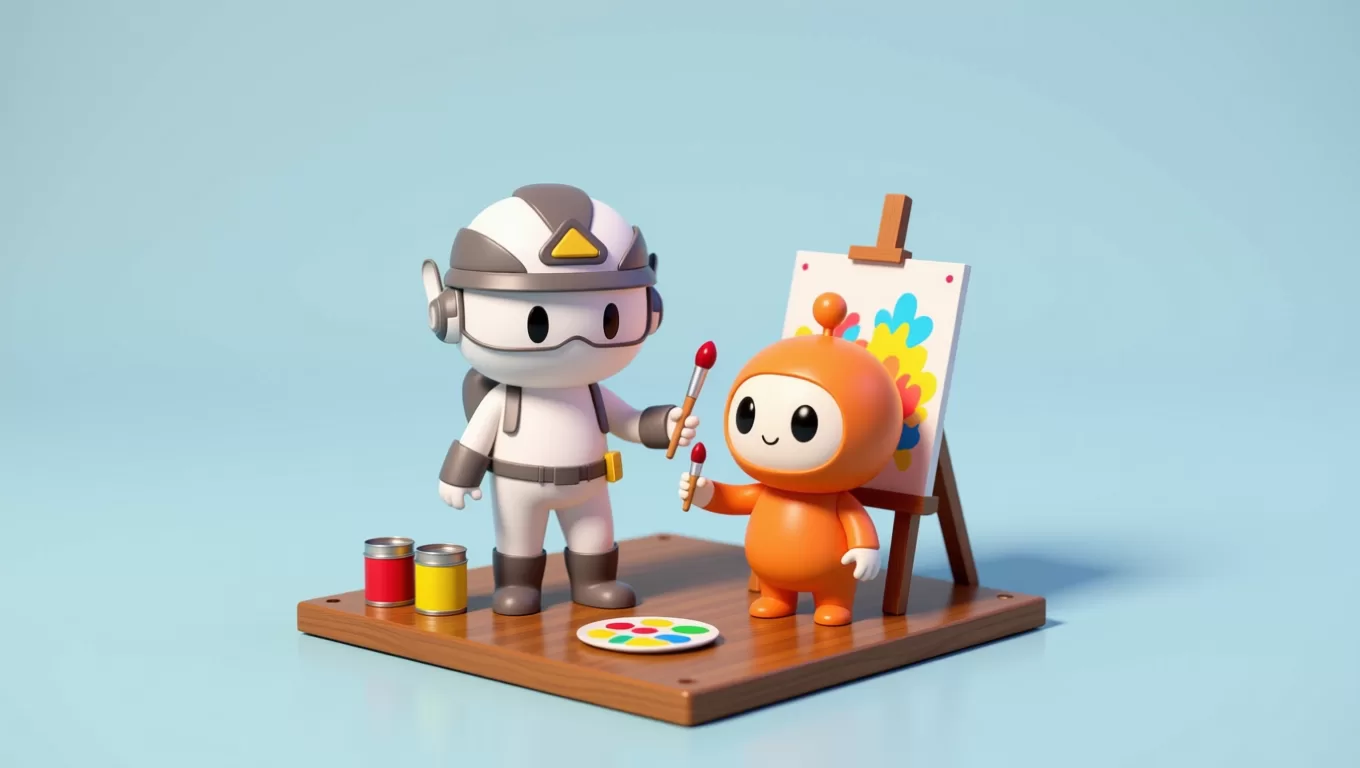
The isometric 3D style, Pixar-like renders, showed up by accident. I tested several prompt styles, flat, cartoon, realistic, and isometric worked best with Qwen. The scenes came out clean, the objects readable, and the mascot didn’t deform.
The Colab phase
For a few weeks, I generated images manually in Google Colab using the diffusers library:
from diffusers import QwenImageEditPlusPipeline

pipeline = QwenImageEditPlusPipeline.from_pretrained(
    "Qwen/Qwen-Image-Edit-2509", torch_dtype=torch.bfloat16
)

inputs = {
    "image": [Image.open("mascot.png").convert("RGB")],
    "prompt": "Isometric 3D scene, Pixar-style render, pure white background...",
    "true_cfg_scale": 4.0,
    "negative_prompt": " ",
    "num_inference_steps": 40,
}

with torch.inference_mode():
    output = pipeline(**inputs)
The process was slow. Write the prompt by hand, run it, wait, look at the result, adjust, run again. But it was this manual cycle that produced the style definition: the white background, the minimal shadows, the fixed isometric angle, the mascot taking up 1/3 of the canvas. Every decision came from dozens of tries.
With the style defined and validated, it became clear the process could be automated. What changed between posts was the visual metaphor, the objects, the mascot’s action, the colors. The style was fixed.
The idea
If the style is fixed and what changes is the metaphor, then generating a thumbnail boils down to:
- Understand what the post is about
- Create a visual metaphor (the "scene")
- Describe that scene in a prompt
- Generate the image
Steps 1 and 2 are LLM work. Step 3 is prompt engineering. Step 4 is Qwen, which I already knew well. Everything can be automated.
The prototype: WordPress + Claude + Qwen
The first commit was a straightforward TypeScript script: fetch the draft via WordPress REST API, send the content to Claude to generate a scene prompt, send that prompt to Qwen to produce the image.
It sounded simple. And the first version did generate images. They were just bad.
The mascot came out deformed. The scenes had no connection to the post. The prompts were too generic. But the whole thing worked end to end, from WordPress to .png. I had a starting point.
Running Qwen in the cloud
In Colab, I ran Qwen on a Google A100 High RAM runtime. My machine can’t handle a 65GB model. For the CLI tool to work, I needed Qwen accessible via API.
The first plan was to deploy a FastAPI server with the diffusers pipeline on Google Cloud, a Compute Engine VM with an A100 80GB. I had the server.py ready, the Dockerfile, and the deploy script. But when I tried to create the VM, I hit a quota wall: Google requires approval for A100 GPUs, and I didn’t have it.
I looked for alternatives and found RunPod. No quota bureaucracy, A100 on demand. I started building a custom template with the same Dockerfile, but then discovered that RunPod Hub already had a public endpoint for Qwen Image Edit. No Docker image needed, no pod management. Send a request, get a result. That was exactly what I wanted for the first version: the simplest thing possible.
RunPod Hub’s endpoint is async: submit the job, get an ID, and poll until the result comes back. That opened the door to parallelization, submit 4 jobs at once and wait for all of them. Generating 4 images went from "one at a time, 2 minutes total" to "4 in parallel, 30 seconds."
Learning to talk to Qwen
The early prompts Claude generated for Qwen were things like "a miner character in a tech environment with servers." Vague. Qwen would generate anything, sometimes pretty, almost always disconnected from the post.
So I started studying what works with Qwen Image Edit and adjusted Claude’s system prompt step by step.
First, depth layering. Qwen responds well to descriptions with camera-relative depth: "in the foreground, the mascot holds X; in the background, Y." I added this as a rule.
Then mascot variants. At first, it was always the same mascot. I added a choice, miner (helmet, backpack, hands-on work) or hat (glasses, tech hat, intellectual vibe). The LLM picks which one fits the post’s theme. We also defined a background palette with mood: cream (warm), sky (technology), slate (dramatic), plum (creative).
But the change that had the biggest impact was swapping "scenes" for "visual metaphors." The original prompt asked for "scenes" for the post. The LLM interpreted this as "illustrate the content literally." A post about background jobs became a guy standing next to a server. When I changed it to "visual metaphors, a diorama that captures the post’s essence," debugging became "mascot prying open a cracked server with a crowbar." Much better.
Switching to Gemini
The first prototype used Claude for prompt generation. I quickly ran a few comparisons with Gemini (first 2.0 Flash, then Gemini 3 Pro preview). Gemini produced better prompts, faster and cheaper. It became the default. Claude stayed as an optional flag (--model claude).
The point here is that both models share the same system prompt and the same output schema. Swapping one for the other is a one-line change. The real investment was in the system prompt, and that’s model-agnostic.
Widescreen and the giant mascot
Early on, images came out square. Qwen generates at the same aspect ratio as the input image. So I added a padding step: the mascot gets positioned on a 16:9 canvas before going to Qwen. The output comes back in thumbnail format.
But then came the first serious visual stumble: the mascot took up half the canvas. Scenes were claustrophobic, the character dominated everything and the objects were crammed around it.
I reduced the mascot to 1/3 of the canvas width. That gave the diorama room to breathe. The scene became a "stage" with the mascot as one of the elements, not the absolute protagonist.
The pick command: closing the loop
Generating thumbnails is half the job. You still need to choose one, upload it to WordPress, and set it as the featured image. That part was manual. So I added the pick command:
./kanario pick 12232 2It grabs prompt-2.png from post 12232’s output, uploads via WordPress REST API, and sets it as the featured image. The entire cycle, from draft to published cover, became two commands.
Optional mascot (and the LLM doing "quota balancing")
Not every scene needs a character. A post about "the software crisis" might work better as an object diorama: a pile of cracked servers, a broken hourglass. I added none as a mascot option, when the LLM picks none, Kanario sends a blank white canvas to Qwen and the description starts with "Ignore the reference image."
But then a strange behavior appeared: the LLM always generated exactly 3 scenes with mascot and 1 without. Post about Docker? 3+1. Post about Margaret Hamilton? 3+1. Post about ActiveJob? 3+1. It seemed to be doing "quota balancing" instead of deciding per scene.
The fix was one sentence in the system prompt: "decide independently per scene, don’t aim for a mix." After that, a post about Margaret Hamilton generates 4 mascot scenes (makes sense, it’s about a person). A post about architecture might generate 4 without. The LLM stopped counting.
Summarization: When content drowns the title
A post can be 30k characters. Dumping all of that into the scene generation prompt wasted tokens and, worse, diluted what matters. The LLM would read the entire content and generate scenes about details from paragraph 15, instead of capturing the title’s metaphor.
The fix had two parts. First, summarize before generating: Kanario passes the content through a fast model (Gemini Flash) that extracts key points into ~1,500 characters. The prompt generator receives the summary, not the raw content. Second, prioritize the title. I reformatted the user message to make it explicit: "Here’s the blog post title (this is the primary input, derive the visual metaphor from this)." The content became "supporting detail only."
After these changes, a post titled "How AI Wiped Out 80% of Tailwind’s Revenue" stopped generating scenes of "person using computer" and started generating tornados destroying shops.
Prompt tuning stumbles
If I had to summarize the project in one sentence: 90% of the work is prompt tuning. I didn’t write a single line of Kanario’s code. Everything was built pairing with Claude Code , I described what I wanted, it implemented, I evaluated the result. Agentic engineering. The code came out fast. The prompt tuning didn’t. Some lessons that hurt:
"Robot" becomes the mascot
The original system prompt said to use "a tiny robot" as a secondary character. The problem: Qwen receives the mascot as a reference image. When the prompt says "robot," Qwen interprets the "robot" as the mascot from the reference, and renders two identical mascots.
The fix was replacing "robot" with "a cute round-bodied bot buddy with big eyes and a small antenna", descriptive enough that Qwen wouldn’t confuse it with the reference.
Bot buddy everywhere
Even after fixing the "robot" issue, the LLM kept stuffing a bot buddy into scenes where it made no sense. A post about Ruby::Box showed up with a little robot taping boxes. The system prompt section about secondary characters was being read as an invitation: "whenever possible, add someone."
The fix: reframe it to "only add a second character when the post is about interaction between two entities." Most posts don’t need a second character.
The hint nobody followed
Kanario accepts --hint to guide the visual metaphor: ./kanario 12232 --hint "a tornado destroying a small shop". The system prompt said "follow it literally." The LLM treated it as a suggestion, one scene followed the hint, the other three did whatever they wanted.
The fix: change to "hard constraint that every scene must satisfy." Now all 4 scenes reflect the hint.
The smoke test that saved the project
Unit tests ensure the code works. But to know if the prompts are good, you need to generate real images and look. I built a smoke test that generates thumbnails for 5 fixed posts (technical, biographical, opinion, business, tutorial) and opens the folders for manual review.
Every system prompt change went through the smoke test: run it, open the 20 images, evaluate visually, note what improved and what got worse. There’s no way to automate "does this image look good?", it’s human judgment. But having a repeatable process for that judgment made all the difference.
The Discord bot
The CLI works, but nobody on the team was going to open a terminal to generate a thumbnail. So I built a Discord bot.

The first challenge was the timeout: Discord requires a response within 3 seconds, and generation takes 60+. The solution is deferred responses, the bot responds immediately with a loading state and edits the message when it’s done.
But during the 60 seconds of generation, the user was staring at nothing. Discord shows "thinking…" on deferred responses, but the moment you edit the message, the indicator vanishes. I added real-time progress updates, each pipeline step edits the message with a clock that advances: 🕐 → 🕑 → 🕒…
The second challenge was credentials. Codeminer’s blog is multi-author. Each person needs to authenticate with their own WordPress Application Password. The bot has /register (in DMs, so the password isn’t exposed in a channel), which validates credentials against the WordPress API and saves them in a SQLite database encrypted with AES-256-GCM.
Then I added /pick (choose and set as featured image) and /improve (take a generated image and request changes with a new prompt). The entire cycle works without leaving Discord.


The deploy
The bot runs on Cloud Run. The deploy is one script:
GCP_PROJECT_ID=edy-ai-playground ./deploy/deploy.shBuild the Docker image, push to Artifact Registry, deploy. 2 minutes. The credential SQLite lives on a GCS bucket mounted via FUSE, it persists between cold starts without needing an external database.
What I learned
Prompt tuning feels more like training a model than writing software. Every change to the system prompt required generating images for 5 different posts, evaluating visually, adjusting, repeating. It’s not "write the right prompt and you’re done." It’s an iterative loop with visual feedback.
Another thing I learned the hard way: what you don’t say matters as much as what you say. Half the problems were things the LLM invented because the prompt didn’t explicitly say "don’t do this." The bot buddy appeared because the prompt encouraged it, not because the scene needed it. The hint was ignored because the prompt said "follow" instead of "must satisfy."
I already knew generating the mascot from scratch every time would be a bad idea. That’s why from the start I focused on models that work with a reference image. Qwen won over Flux and z-image because it was the best at dealing with the reference, it took the mascot and built a scene around it without deforming it, without inventing a different character.
And the last lesson: internal tools need UX. The CLI worked, but adoption only came with the Discord bot. Every friction I removed (progress updates, per-user credentials, /improve for iteration) increased usage. The Pragmatic Programmer talks about "make it easy to do the right thing", that applies double for internal tools.
The result
I used to spend 30 minutes per thumbnail and I’d avoid the process whenever I could. Now I run one command, wait 60 seconds, and get 4 options with visual metaphors that actually have something to do with the post.
Kanario will be open source soon on GitHub. Pure TypeScript, runs with node --experimental-strip-types with no build step. If you have a blog with a consistent visual style and want to automate thumbnails, keep an eye out.
And the best part: this post was written in my editor, but the thumbnail was generated by Kanario.
Thanks for reading!
We want to work with you. Check out our Services page!


